How to create a cohort
Last updated: April 19, 2026
A cohort is a group of targets that meet specific criteria you define. You build a cohort, assign them a tailored journey, and deliver relevant content to boost results.
Example: Imagine you're launching a special offer for marketers across North America. You want every dollar of ad spend to count by targeting only marketers in that region—and you want to exclude current customers and competitors from seeing your ads. A cohort lets you do exactly that.

Steps
Log into your Influ2 account and click the Cohorts tab on the left-hand navigation.
Click Create cohort in the top right corner.
Give your cohort a unique name.
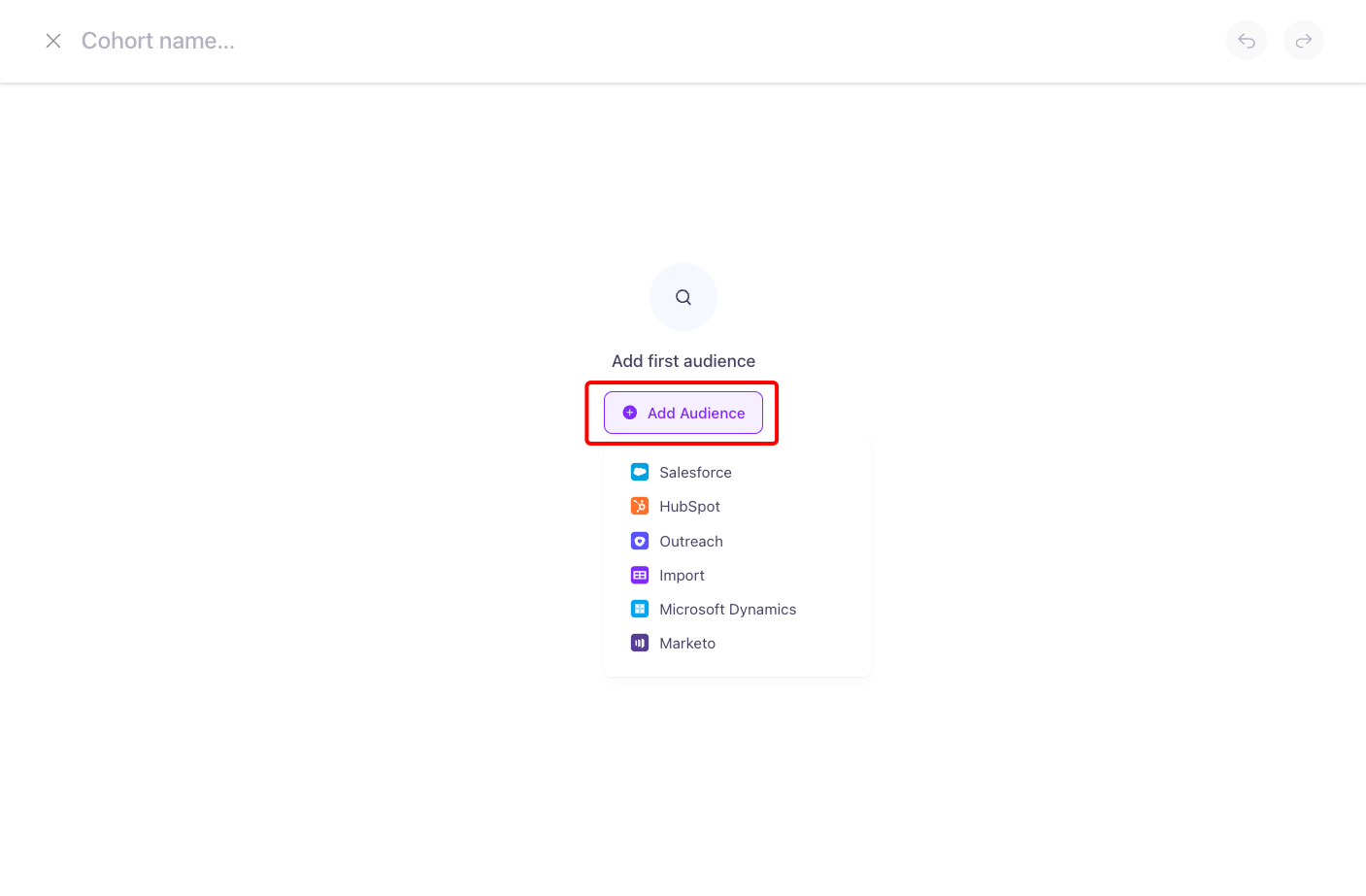
Click Add Audience and select your data source.
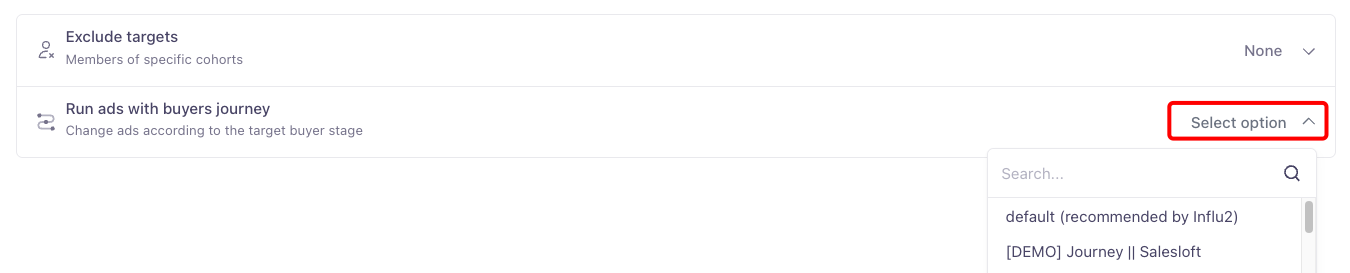
Use the Journey dropdown to select which Influ2 journey this cohort will experience.
If you don't already have a journey ready, you may need to create one first.
Build your audience
You have two primary methods for building your audience:
Using Embedded Criteria
Construct your audience by leveraging field values directly from your CRM. Define specific criteria, and Influ2 automatically pulls in targets that match. This is a powerful way to create dynamic, precisely targeted cohorts.Using CRM Campaigns or Segments
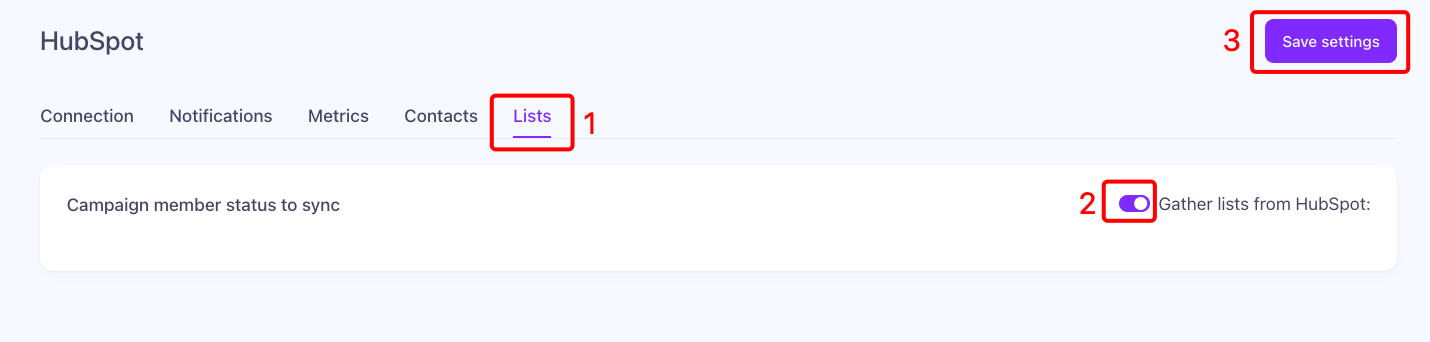
Pull your audience directly from pre-existing campaigns or lists in your CRM. The method varies slightly by platform:HubSpot: Pull audience directly from your HubSpot segments. (Enable segment pulling in Integrations settings first.)
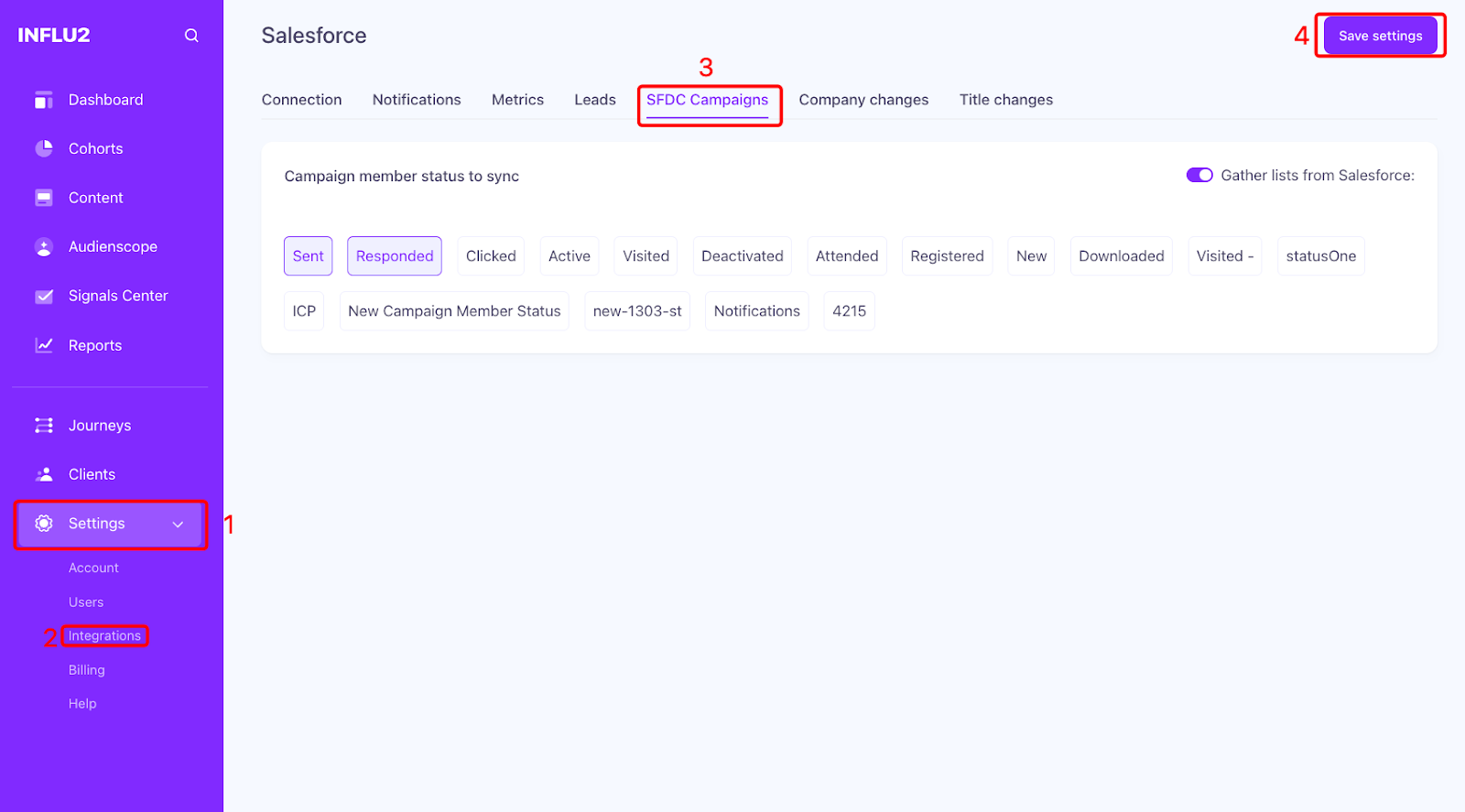
Salesforce: Use your Salesforce campaigns to define the audience. Make sure you've selected the relevant campaign member statuses in your Influ2 integration settings so only the intended members are included.
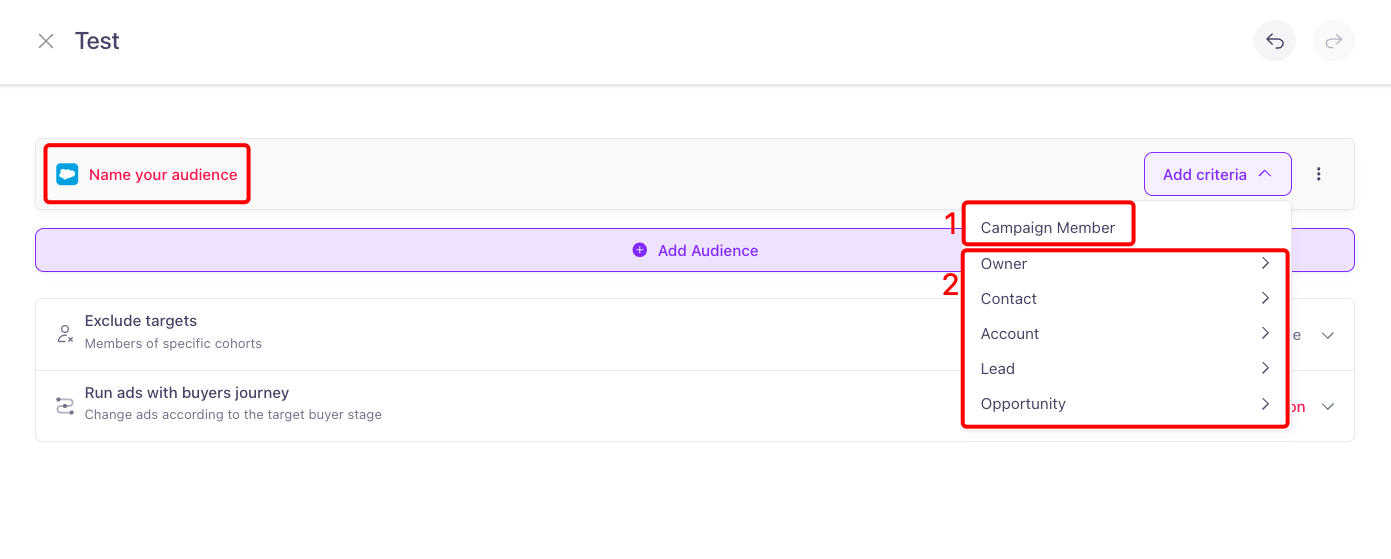
Give your audience a name—the cohort won't save if the audience name field is empty.
Add inclusion criteria
Use the Add audience dropdown to choose which integrated CRM source you want to sync users from. (Need help? See how to activate your Influ2 integrations.)
Give your inclusion audience a unique name.
Use the Add criteria dropdown to choose Contact, Account, Lead, and/or Opportunity criteria to pull targets into your cohort.
If you use Lead criteria, you cannot mix it with other criteria (Contact, Account, Opportunity).
Choose the logic you want to use (e.g., "contains any of," "contains none of," "is any of," "is none of").
Choose the values you want to use.

Add exclusions (optional)
You can exclude entire cohorts of users—for example, excluding a "Current Customers" cohort or a "Competitors" cohort.
Add a unique name for the group(s) you want to exclude.
Click Select values and choose the pre-built cohorts you want to exclude from this new cohort.

Create and review
Click Create when you're satisfied with your settings.
Once your cohort is running, check its performance anytime from the Cohorts tab.
