How to export the Deals report from HubSpot
Last updated: April 19, 2026
HubSpot's Deals report contains deal details that Influ2 needs for precise revenue reporting. Here's how to export them.
Export your deal details
In your HubSpot account, go to CRM → Deals.
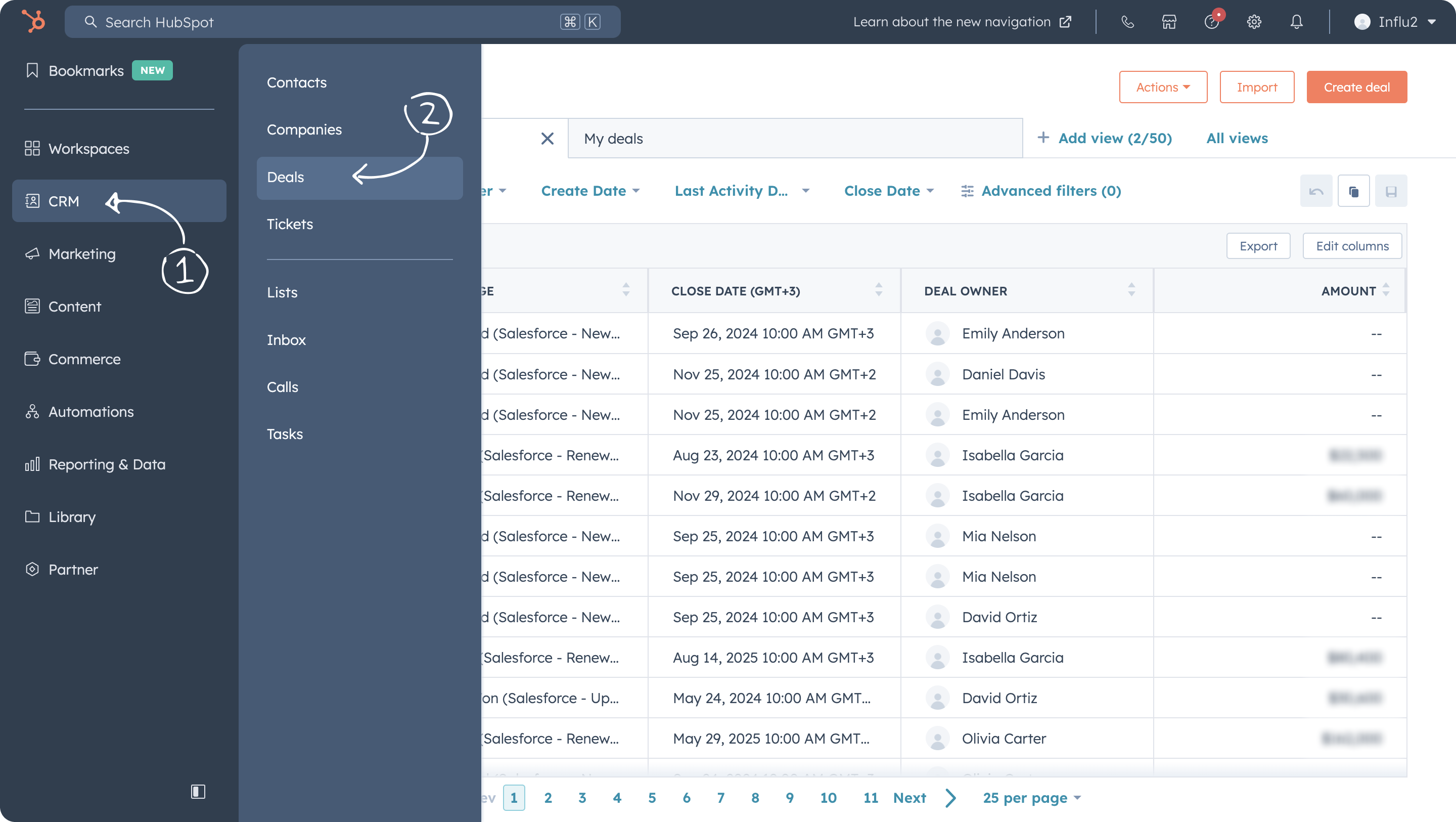
Click Edit Columns above the deals table.
Select the following columns for export:
- Deal Name
- Deal Stage (Current)
- Amount
- Last Modified Date
- Deal Owner
- Record ID
- Deal Company (Primary)
- Deal Type (Pipeline)

Make sure no irrelevant filters are applied to the deals table. Click Export in the top right corner of the table.
In the next window, choose All properties on record.


If you've previously uploaded deal files from HubSpot into Influ2, combine the old and new files into one. Add stages from the older file to the new one as "Previous stages." This helps Influ2 accurately map stage changes.
Done! Your Deals report file is now ready to import into Influ2.