Boost Your Ad Performance with Personalized Facebook Pages
Last updated: April 16, 2026
Influ2 ads are built for contact-level targeting with tailored creatives—which means they often run across multiple clusters, geographies, and buyer segments. A single creative can occupy up to 10 different Facebook ad slots. But Facebook limits how many ads can run from one page. For example, if your monthly budget is under $100K USD, you can run no more than 250 ads from a single page at a time.
To avoid hitting these limits and reach your full audience, we recommend running ads from multiple Facebook business pages.
What multiple pages give you
Higher reach across your targeted audiences
Flexibility to tailor messaging by region, product, sales rep, or industry
Personalization at the page level
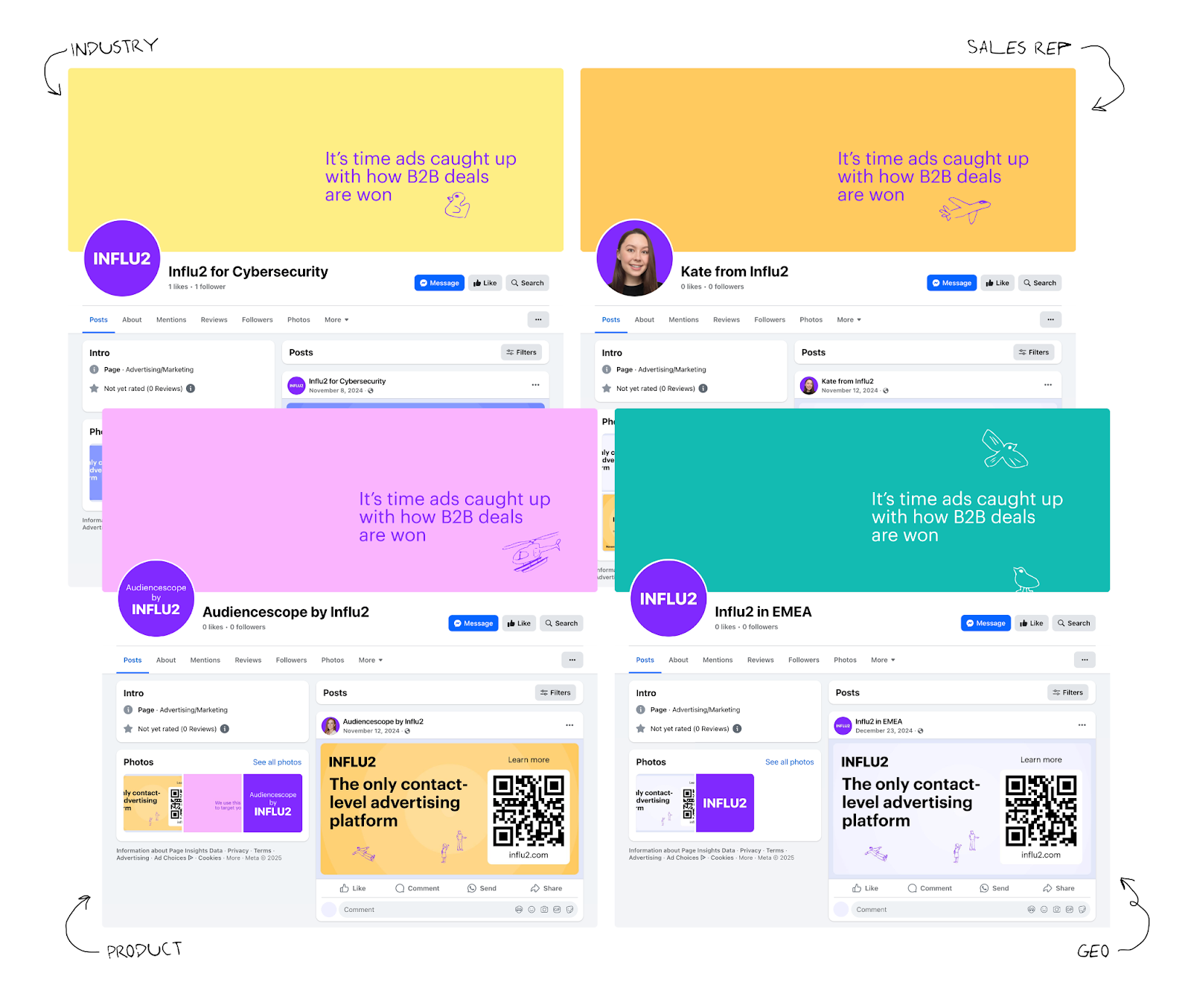
Using multiple pages isn't just about scaling reach—it adds another layer of personalization. Prospects don't usually visit the page behind an ad, but they do see the page name and avatar before clicking through to your landing page. When those elements feel relevant, they make your ad more credible and personal.
Here are a few common ways to structure additional pages:
By industry — e.g., [Your Company] for Cybersecurity
By sales rep (great for AE- or BDR-personalized ads) — e.g., Kate from [Your Company]
By product or feature — e.g., Audienscope by [Your Company]
By geography — e.g., [Your Company] in EMEA
Or use any structure that aligns with how you run your campaigns.
Best practices for managing multiple pages
Creating a new page is straightforward—copy key details from your main page and add a few posts or contextual elements. After setup, it requires almost no ongoing maintenance.
To keep everything clean and consistent across pages:
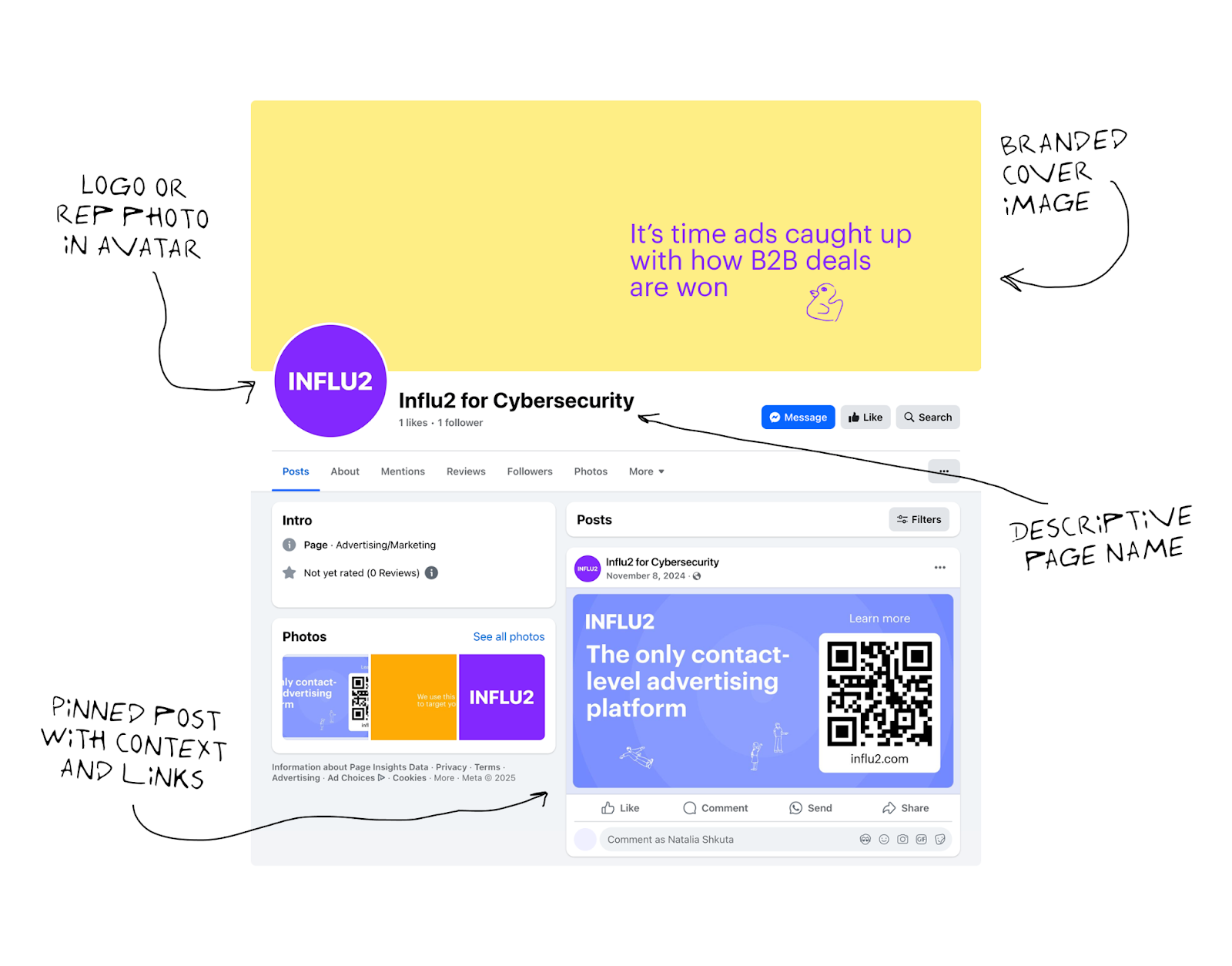
Use descriptive page names. Make it immediately clear what each page is for—whether it focuses on a product, vertical, or sales rep.
Use brand-consistent avatars and cover images. Pick a brand-approved avatar and cover image: your logo, sales rep headshots, or custom visuals that fit the page's theme.
Add a clear page description. Give visitors context about the page and who it's intended for.
Pin a contextual post. Publish and pin a post that explains why your product is a great fit for the audience you're targeting with that page. You can include links to your main Facebook page, case studies, or other resources. Occasional posts tied to the page's theme are nice, but not required.
Your main page stays first
Your main Facebook page remains your primary presence and ranks highest in Facebook search—as long as it's active and complete. Facebook prioritizes:
Engagement: Likes, followers, reviews, and messages all help
Completeness: Your main page should have a profile photo, cover image, and full business details
Activity: Regular posts, comments, and responsive messaging improve ranking
As long as your additional pages have clear, contextual purposes and follow these best practices, they'll support your ad performance without diluting your brand presence. You can easily archive any page once you don't need it.